
Your teams move project. Keep access, costs and responsibilities in step.
When people move to the next job, some access needs to end and some needs to continue. Use a practical handover to agree who acts, what stays in place and which costs need reviewing.
The next job starts. The loose ends don’t have to follow.
- 01People and project accessWhat continues? What changes?
- 02Devices and servicesWho will act, and by when?
- 03Confirmation and costsWhat is still waiting?
Make the handover clear for everyone involved.
Use these checks with the project lead, IT and whoever manages the service account. They cover more than returning a phone.
What does each person need on the next project?
Check whether a company phone, protected work apps or narrower access fits the role. Confirm what should end on the previous job.
Who will make each change?
Agree what IT, the project team and any client administrator will handle.
Which costs continue?
Review the devices, licences and services still needed, and the dates any charges can change.
What confirms the handover?
Keep a named owner, due date and completion reference. A request sent to a client is not a completed action.
Keep access changes and ongoing costs in the same handover.
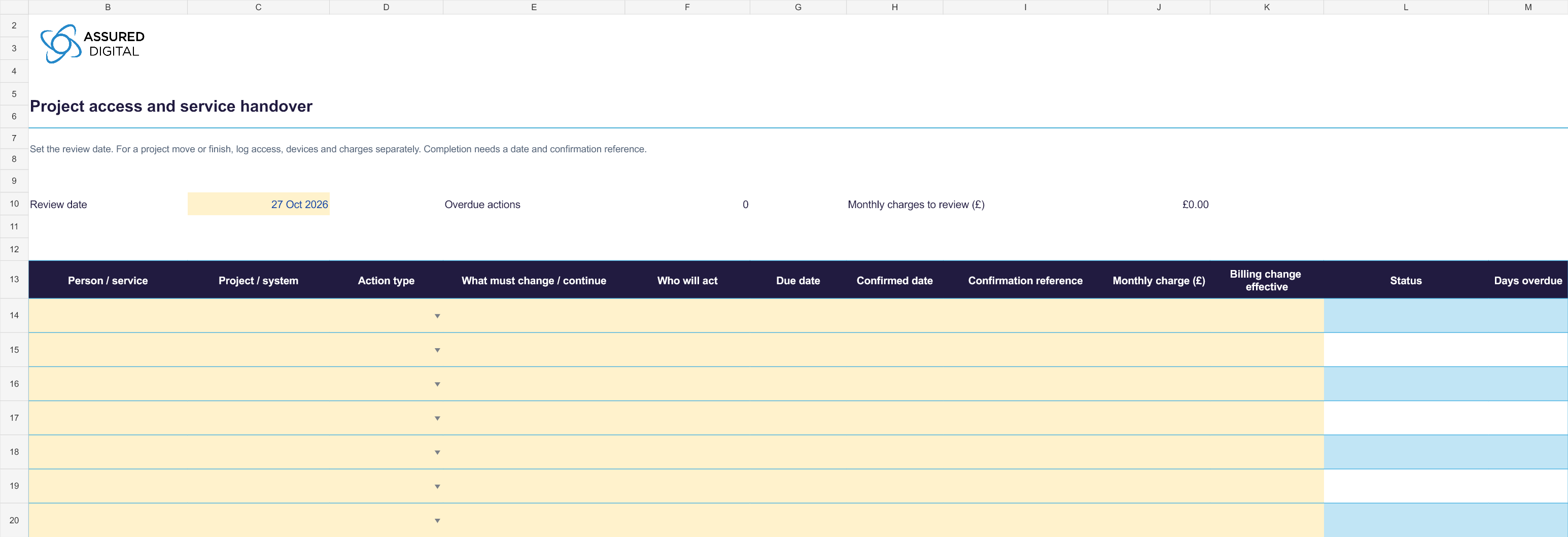
Log the people, accounts, devices and services affected by the project move. Add owners, dates and confirmation references so unfinished work stays visible.
- See overdue actions against the review date you set.
- Keep an access change separate from returning a device or changing a charge.
- See the monthly charges you’ve marked for review and haven’t completed.
Work email requested · Excel (.xlsx) · Your figures and completed records stay in your own files.
Make the next project change easier to manage.
We can help you agree how work devices and access will be managed, what your team or provider will handle, and what ongoing support needs to cover. Start with the part that needs attention.
Assured Digital is a UK technology partner. We bring IT, Microsoft, cyber security and communications together, with data and AI expertise when you need it.
Speak to us about your setup
Matthew can help you get the right technical colleagues involved.